llms.txt is one of the most talked-about files in SEO, and also one of the most misunderstood. Meanwhile, the technical settings that truly decide whether AI assistants can read your site (robots.txt rules, firewall settings, JavaScript rendering) get far less attention. Here is an evidence-based view.
What is llms.txt?
llms.txt is a proposed standard: a Markdown file at /llms.txt that summarises a site and links to its most important pages in a format that is easy for large language models to read. A companion llms-full.txt can contain the full text of key documentation.
It is a proposal, not an adopted standard. No major AI provider has publicly committed to using it to choose sources for answers.
Does llms.txt work? What the 2026 data says
- Google: its AI optimization guide says you don't need llms.txt or other AI text files to appear in Google Search, including its generative AI features, "as Google Search itself doesn't use them", and lists llms.txt among tactics you can ignore.
- Adoption: an SE Ranking study of roughly 300,000 domains found about 10% had an llms.txt file.
- Effect on citations: the same study found no correlation between having llms.txt and how often a domain is cited in AI answers.
- Crawler requests: independent log analyses report very few AI bot requests for the file.
So should you have one?
It costs almost nothing, and it can be useful for developer documentation, where coding assistants and tools sometimes read it on request. I keep a simple one on this site for that reason. But do not expect it to change your visibility, and do not spend time on it before the checks below.
Which AI crawlers should you know?
Most AI companies run separate crawlers for search, for user-initiated fetches and for model training, and each can be allowed or blocked on its own in robots.txt:
| Company | Crawler | Purpose |
|---|---|---|
| OpenAI | OAI-SearchBot |
Indexes pages for ChatGPT search results |
| OpenAI | ChatGPT-User |
Fetches pages when a user's request needs them |
| OpenAI | GPTBot |
Collects data for model training |
| Anthropic | Claude-SearchBot |
Indexes pages for Claude's search |
| Anthropic | Claude-User |
Fetches pages for user requests |
| Anthropic | ClaudeBot |
Collects data for model training |
| Perplexity | PerplexityBot |
Indexes pages for Perplexity answers |
| Perplexity | Perplexity-User |
Fetches pages for user requests |
Googlebot |
Google Search, including AI Overviews and AI Mode | |
Google-Extended |
Robots.txt token controlling use for Gemini model training and grounding in Gemini Apps and Vertex AI; no effect on Google Search | |
| Apple | Applebot-Extended |
Controls use of content for Apple's AI training |
| Common Crawl | CCBot |
Open web dataset widely used for AI training |
| Microsoft | Bingbot |
Bing index, which also powers Copilot answers |
Check each company's documentation for the latest names, because they change. OpenAI says sites that opt out of OAI-SearchBot will not be shown in ChatGPT search answers, and recommends allowing its published IP ranges too. Perplexity says PerplexityBot will not index content from sites that disallow it.
These crawlers take far more than they send back. In Cloudflare's August 2025 analysis, Anthropic crawled nearly 50,000 pages per referral, OpenAI 887 and Perplexity 118. That is why many publishers block training crawlers while allowing search crawlers.
What robots.txt policy should you use for AI crawlers?
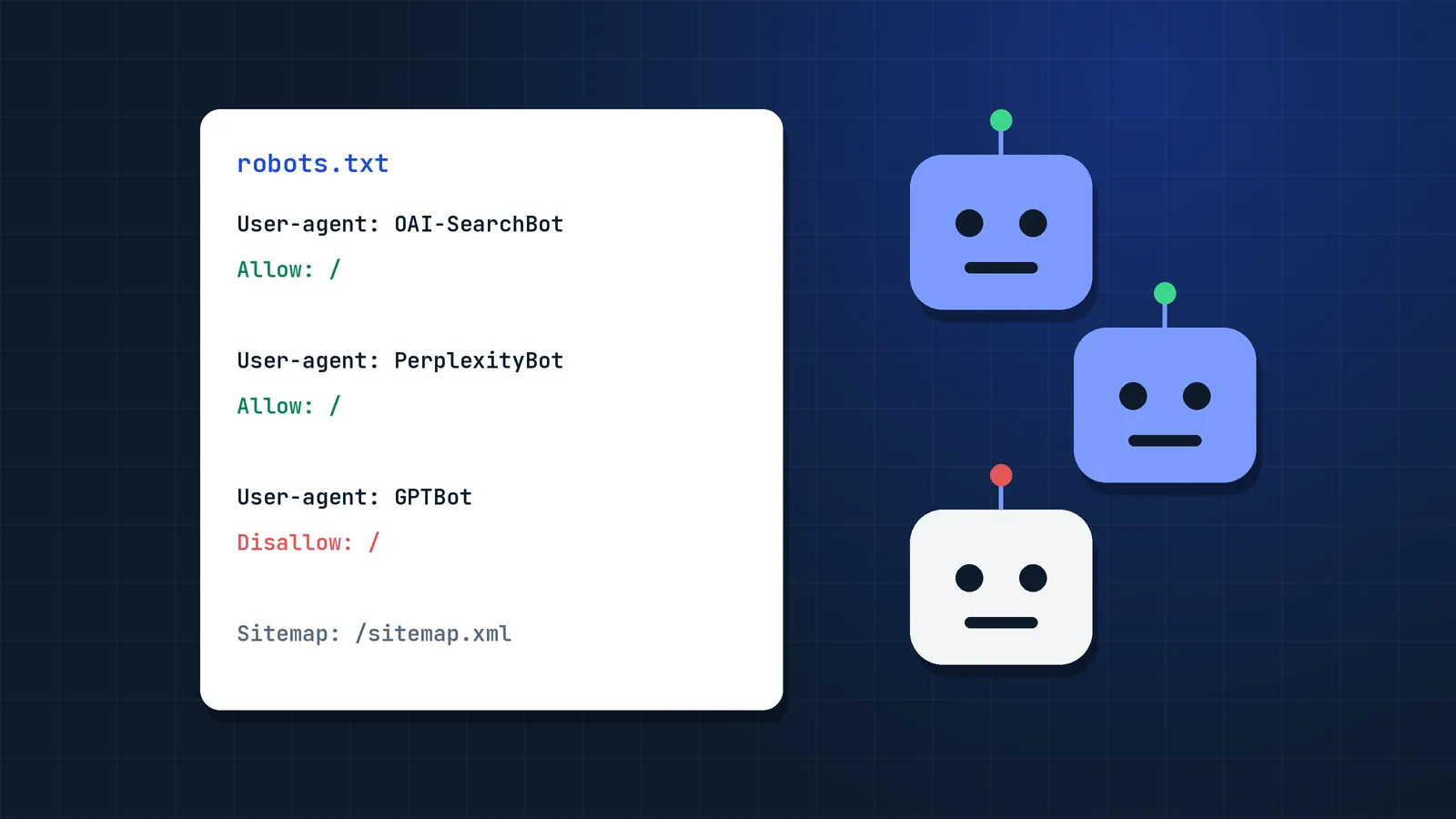
Most businesses want to appear in AI answers but may have different views on training. A common setup:
# Allow AI search and user-initiated fetches
User-agent: OAI-SearchBot
User-agent: ChatGPT-User
User-agent: Claude-SearchBot
User-agent: Claude-User
User-agent: PerplexityBot
User-agent: Perplexity-User
Allow: /

# Optional: opt out of model training
User-agent: GPTBot
User-agent: ClaudeBot
User-agent: CCBot
User-agent: Google-Extended
User-agent: Applebot-Extended
Disallow: /

User-agent: *
Allow: /

Sitemap: https://www.example.com/sitemap.xml
Whether you block training crawlers is a business decision. Publishers with valuable proprietary content often block them; brands that want maximum awareness often allow everything, since model knowledge also shapes what assistants say about you.
Google is a special case
AI Overviews and AI Mode are part of Google Search and use Googlebot. Google's crawler documentation says Google-Extended does not affect inclusion in Google Search, so blocking it does not remove your content from them. Since June 2026 (worldwide since August 31), Search Console has a dedicated Search generative AI control (Settings → Search generative AI) that excludes your site from AI Overviews, AI Mode and AI Overviews in Discover. Excluding has real costs; read how to measure AI search visibility before deciding.
Which technical checks matter more than llms.txt?
1. Make sure bots are not blocked by accident
CDN and security tools increasingly block AI crawlers by default or challenge them with JavaScript checks they cannot pass. Check:
- Your CDN or WAF bot settings (many have a one-click "block AI bots" option).
- Rate limits that throttle crawlers.
- Server logs for AI user agents receiving
403,429or challenge pages. - That
Bingbotis allowed: the Bing Webmaster Guidelines say Copilot relies on the same crawling and indexing foundation as Bing search.
2. Serve content in HTML
Many AI crawlers do not execute JavaScript the way Googlebot does. If your main content, product details or prices only appear after client-side rendering, AI systems may see an empty page. Use server-side rendering or static generation for important content.
3. Use clean, semantic structure
Descriptive headings, lists and tables help readers and every crawler that parses your HTML. For Google you do not need special formatting or "chunking" (see query fan-out), but clean structure never hurts.
4. Keep pages fast and stable
Slow responses and timeouts reduce crawling. User-initiated fetchers like ChatGPT-User work in real time while someone waits for an answer, so a slow page may simply be skipped.
5. Do not hide key content
Content behind logins, inside images, in PDFs without text layers, or in tabs that load only on click is harder or impossible for AI systems to use.
6. Provide clear entity information
An About page, author pages, consistent naming and Organization or Person structured data with sameAs links help AI systems connect your content to your brand. More on that in LLM visibility.
How do you audit AI crawler access in 20 minutes?
You can check whether AI crawlers can read your site in about 20 minutes: robots.txt, CDN settings, server logs and a no-JavaScript test.
- Open
yourdomain.com/robots.txtand check rules for the crawlers in the table above. - Check CDN/WAF bot settings for AI-blocking defaults.
- Search server logs for
OAI-SearchBot,ChatGPT-User,PerplexityBotandClaudeand note status codes. - Disable JavaScript in your browser and load your top pages. Is the main content still there?
- Confirm the Search generative AI control in Search Console is set the way you intend.
- Add or update llms.txt last, if you want one.
FAQ
Does llms.txt improve rankings or AI citations?
There is no evidence that it does. Google's AI optimization guide says Google Search does not use llms.txt, and an SE Ranking study of about 300,000 domains found no correlation between having the file and being cited in AI answers.
Should I block GPTBot?
Blocking GPTBot stops OpenAI from using your content for model training, but it does not stop ChatGPT search from showing your pages, which relies on OAI-SearchBot and ChatGPT-User. Decide based on whether you want your content in training data; it is a business choice, not an SEO requirement.
Does blocking Google-Extended remove my site from AI Overviews?
No. Google says Google-Extended does not affect inclusion in Google Search, and AI Overviews and AI Mode are part of Search. To exclude your site from them, use the Search generative AI control in Search Console, which removes your site from those features and the traffic they bring.
Can AI crawlers read JavaScript websites?
Many AI crawlers do not render JavaScript fully, unlike Googlebot. If important content only appears after client-side rendering, AI systems may not see it. Server-side rendering or static HTML is the safest approach.
How do I check if AI bots visit my site?
Search your server or CDN logs for AI user agents such as OAI-SearchBot, ChatGPT-User, GPTBot, PerplexityBot and ClaudeBot. Look at how often they visit and which status codes they receive, to catch accidental blocks.
Should I create an llms-full.txt file?
Only if you publish developer documentation that coding assistants read on request. For a business or content site it brings no proven visibility benefit, and it is one more file to keep in sync with your pages.
Do I need to allow Bingbot for Microsoft Copilot?
Yes. Copilot answers are grounded in the Bing index, and Bing's Webmaster Guidelines say Bing and Copilot share the same crawling, indexing and ranking foundation. Blocking Bingbot removes your pages from Bing search and from Copilot citations.
Sources
- Google's guide to optimizing for generative AI features on Google Search, Google Search Central
- Google's common crawlers (Google-Extended), Google for Developers
- LLMs.txt: why brands rely on it and why it doesn't work, SE Ranking
- llms.txt one year later: who is actually reading it, Hybrid Ranking
- llms.txt after eighteen months: what the request logs show, RichDevTools
- Should websites implement llms.txt in 2026?, LinkBuildingHQ
- Search generative AI control, Search Console Help
- Overview of OpenAI crawlers, OpenAI
- How does Perplexity follow robots.txt?, Perplexity Help Center
- Bing Webmaster Guidelines, Microsoft Bing
- A deeper look at AI crawlers: traffic by purpose and industry, Cloudflare